
Download Shuup – Open‑Source Multivendor Marketplace Platform
Overview
Shuup is a powerful, open‑source multivendor marketplace solution that lets you build anything from a niche B2B portal to a massive enterprise‑grade e‑commerce ecosystem. Developed in Python and built on the robust Django framework, Shuup offers developers and business owners a flexible, fully extensible toolkit for creating marketplaces where independent vendors can list products, services, or rentals. Because it’s released under an OSI‑approved license, every feature is freely available and can be customized without hidden fees or vendor lock‑in.
Whether you want a single storefront that mimics the Amazon model, dedicated vendor shops with their own branding, or a headless architecture that connects multiple front‑ends via APIs, Shuup provides the building blocks to realize those visions. The platform’s modular design means you can start with a minimal configuration and gradually enable advanced capabilities such as tax rules, shipping integrations, and payment gateways as your business scales. For teams that already work with Python, Shuup feels familiar; for newcomers, the extensive documentation and active community make the learning curve manageable.
In short, Shuup combines the freedom of open‑source software with enterprise‑grade features, positioning itself as a go‑to choice for anyone serious about launching a multivendor marketplace.
Key Features
- Multi‑Vendor Architecture: Support for single‑storefront, dedicated vendor shops, and headless commerce models.
- Extensible Plugin System: Add or replace functionality (payment, shipping, tax, promotions) via reusable Django apps.
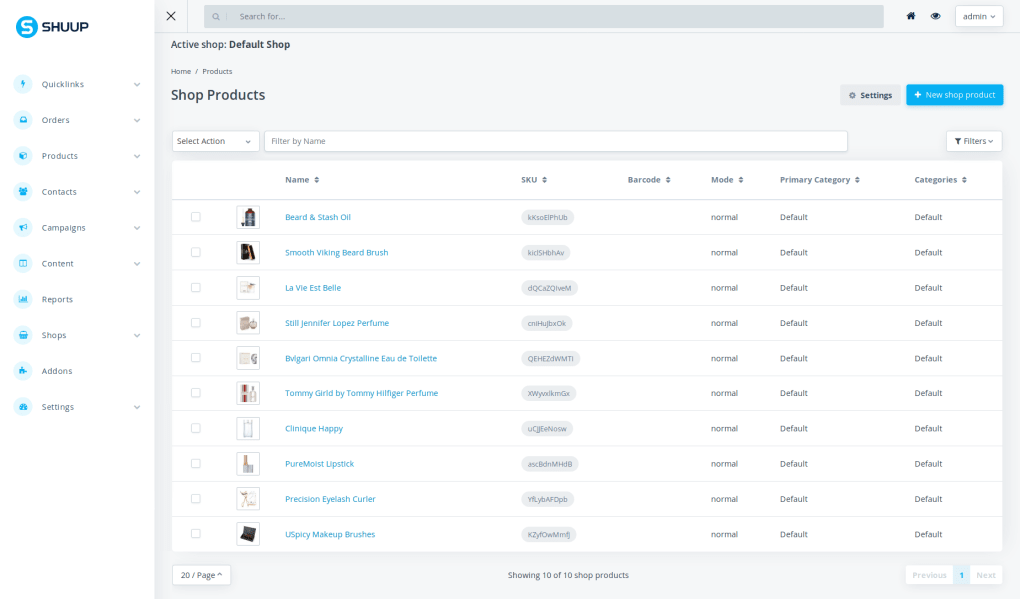
- Vendor Management Dashboard: Admins can approve vendors, monitor sales, and control commissions from a central UI.
- Flexible Product Types: Physical goods, digital downloads, services, and rentals are all natively supported.
- Advanced Catalog Management: Hierarchical categories, attribute sets, and configurable options for complex product lines.
- Built‑in SEO Tools: Automatic sitemap generation, meta‑tag handling, and clean URL structures to improve search visibility.
- Multi‑Currency & Multi‑Language: International marketplaces can serve customers in their native language and currency.
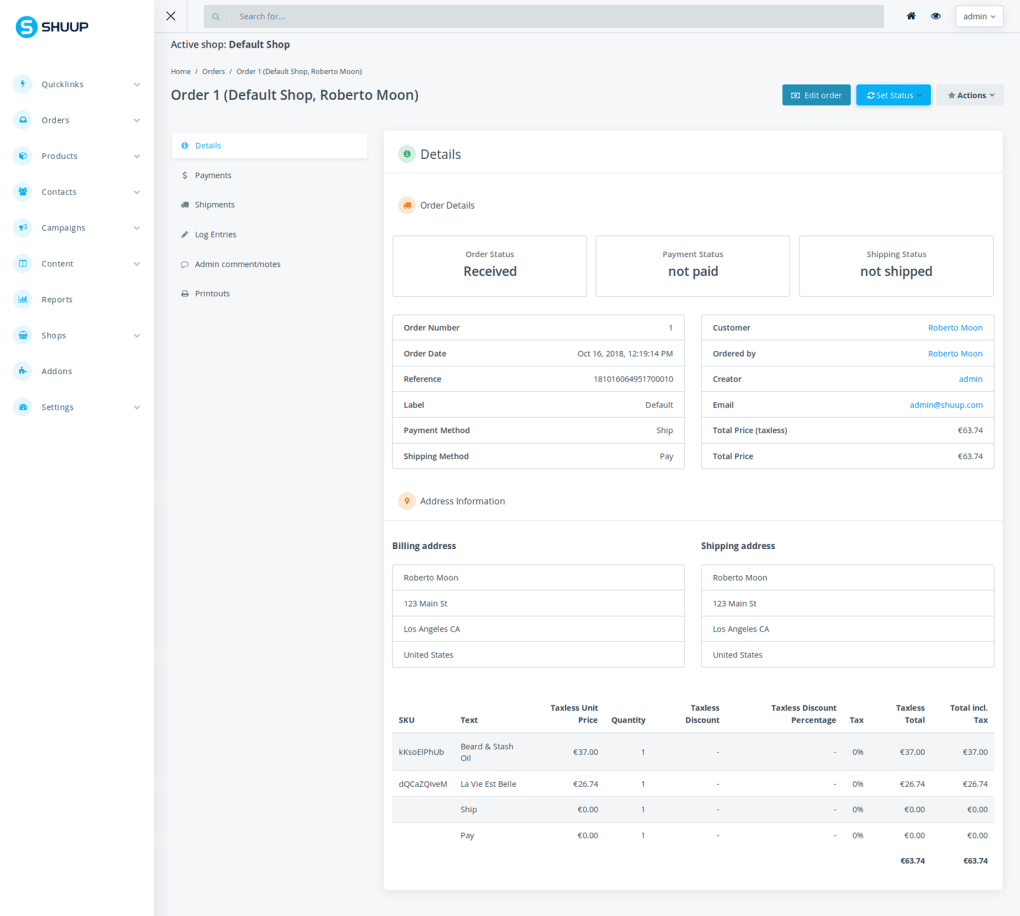
- Robust Order Workflow: Order processing, refunds, and status tracking are fully customizable to match business rules.
- API‑First Design: RESTful endpoints enable headless implementations and integration with mobile apps or third‑party services.
- Security & Compliance: Leverages Django’s security features, supports GDPR‑compliant data handling, and integrates with popular SSL/TLS solutions.
Installation & Usage Guide
Installing Shuup requires a basic familiarity with Python’s packaging ecosystem (pip, virtualenv) and a Django‑compatible database (PostgreSQL, MySQL, SQLite, etc.). Follow these steps to get your marketplace up and running:
- Prepare the environment: Ensure Python 2.7.9+ or Python 3.4+ is installed. Update pip and setuptools to the latest versions:
python -m pip install --upgrade pip setuptools
- Create a virtual environment: Isolate Shuup’s dependencies from system packages.
python -m venv shuup-env
source shuup-env/bin/activate  # On Windows use shuup-env\Scripts\activate
- Install Shuup from PyPI:
pip install Shuup
- Start a new Django project (or use an existing one):
django-admin startproject mymarketplace
cd mymarketplace
- Add Shuup to INSTALLED_APPS: Open
settings.pyand include'shuup.core'along with any optional addons you need. - Configure URLs: In
urls.pyadd Shuup’s routing:from django.urls import include, path urlpatterns = [ path('admin/', admin.site.urls), path('', include('shuup.urls')), ] - Run migrations and initialize Shuup:
python manage.py migrate
python manage.py shuup_init
- Create a superuser: This account will manage vendors and marketplace settings.
python manage.py createsuperuser
- Start the development server:
python manage.py runserver
Visithttp://127.0.0.1:8000/to see your fresh marketplace.
After the initial setup, you can explore Shuup’s admin interface to configure payment gateways, shipping methods, tax rules, and vendor commission structures. The platform also supports theme customization; drop your HTML/CSS files into the templates directory and reference them via the theme settings.
For production deployments, consider using a WSGI server (Gunicorn, uWSGI) behind Nginx or Apache, enable HTTPS, and configure a robust database backend such as PostgreSQL for optimal performance.
Pros, Cons, FAQ & Conclusion
Pros & Cons
- Pros:
- Fully open‑source – no licensing fees.
- Highly modular – add or replace components with ease.
- Scalable architecture suitable for small shops and large enterprises.
- Strong community support and comprehensive documentation.
- Python/Django foundation ensures clean code and security.
- Cons:
- Requires Python and Django knowledge; not a plug‑and‑play solution for absolute beginners.
- Initial configuration can be time‑consuming compared to SaaS alternatives.
- Limited out‑of‑the‑box themes; UI customization may need front‑end expertise.
- Performance tuning is necessary for high‑traffic marketplaces.
Frequently Asked Questions
Is Shuup free to use for commercial projects?
Yes. Shuup is released under the BSD‑3‑Clause license, which allows you to use, modify, and distribute the software in commercial projects without paying royalties.
What databases does Shuup support?
Any database supported by Django can be used, including PostgreSQL, MySQL, MariaDB, SQLite, and Oracle. For production, PostgreSQL is recommended for its reliability and advanced features.
Can I run Shuup on Windows, macOS, and Linux?
Absolutely. Since Shuup is a Python package, it runs on any operating system that supports Python 2.7.9+ or Python 3.4+. Development is typically done on Linux or macOS, but Windows users can follow the same virtualenv steps.
How does Shuup handle payments and shipping?
Shuup provides a plugin system for payment gateways (Stripe, PayPal, Braintree, etc.) and shipping providers. You can install third‑party Django apps or write custom integrations to meet specific regional requirements.
Is there a hosted version of Shuup?
Shuup itself is self‑hosted, but several cloud providers offer ready‑to‑deploy images (Docker, Heroku, AWS Elastic Beanstalk). This lets you avoid manual server configuration while still keeping full control over the code.
Conclusion & Call to Action
Shuup stands out as a mature, open‑source solution for anyone looking to launch a multivendor marketplace without the constraints of proprietary SaaS platforms. Its modular design, robust Django foundation, and extensive feature set make it suitable for startups, growing businesses, and large enterprises alike. While the initial setup demands a modest level of technical expertise, the long‑term benefits—full control over branding, pricing, and data—far outweigh the learning curve. If you’re comfortable with Python and ready to build a customized marketplace that can evolve with your business, Shuup is a compelling choice. Download Shuup today, follow the quick installation guide, and start turning your marketplace vision into reality.
Shuup offers an impressive balance between flexibility and functionality. The open‑source nature eliminates licensing costs, and the plugin ecosystem means you can tailor the marketplace to niche requirements. The only downside is the steep initial learning curve for non‑developers, but the comprehensive docs and active community help bridge that gap.







